Watch any model reason step by step, read images and PDFs, render math and diagrams, run code, generate images — with a toolbar that grows as you connect more tools. Switch models mid‑conversation without losing context — the model is a dropdown, not a commitment.
One prompt, three models, side by side — claude‑opus‑4.8 · gemini‑3.1‑pro · gpt‑5.5. Watch them answer in parallel and compare them in real time.
Every provider lives behind one simple interface. Start with Claude, run a cheap recap on a local model, finish with GPT‑5. The same context flows through — no copy/paste, no juggling logins, no lock‑in.
We built a dedicated connector for each provider — Claude, Gemini, and OpenAI — instead of forcing them all through one lowest‑common‑denominator pipe. So each provider's best features actually work: Claude's adaptive thinking and prompt caching, Gemini's thought signatures, OpenAI's reasoning models. Anything that speaks OpenAI's format — Ollama, or a model running on your own server — plugs into the same connector, and you can cancel a response at any time.
A dial right on the chat box, set per message. Catalyst picks a sensible default for each model on its own — some think by default, others only when you turn it up — so you rarely have to touch it.
One question, three panels. See response time, length, and quality differences side by side. Pick the winner. Keep the loser around for the cheap re‑runs.
Turn any conversation into a read‑only link. Catalyst builds a clean preview image for it automatically — so when you drop it in Slack or post it, it looks right, with no broken thumbnails.
Most "chats" are text-in, text-out. This one runs your code, renders your math, diagrams your architecture, generates the image, and calls out to your tools — in the same turn.
Runs actual Python in a private sandbox — installs packages on the fly, works with your files, and captures any chart or file it makes automatically.
Generate or edit images through OpenAI, Gemini, or a free local generator — your choice. Ask for a size and quality; Catalyst handles the rest.
Drag in screenshots, photos, or PDFs. Models that can see get the image; ones that can't say so up front instead of guessing.
Ask for a diagram and it draws it. Ask for an equation and it typesets it. Code arrives formatted, with a copy button. No "now paste this into another tool."
Connect tools like Brave Search, GitHub, Linear, Notion, or your own — local or remote. They show up in the toolbar, and the model reaches for the right one on its own.
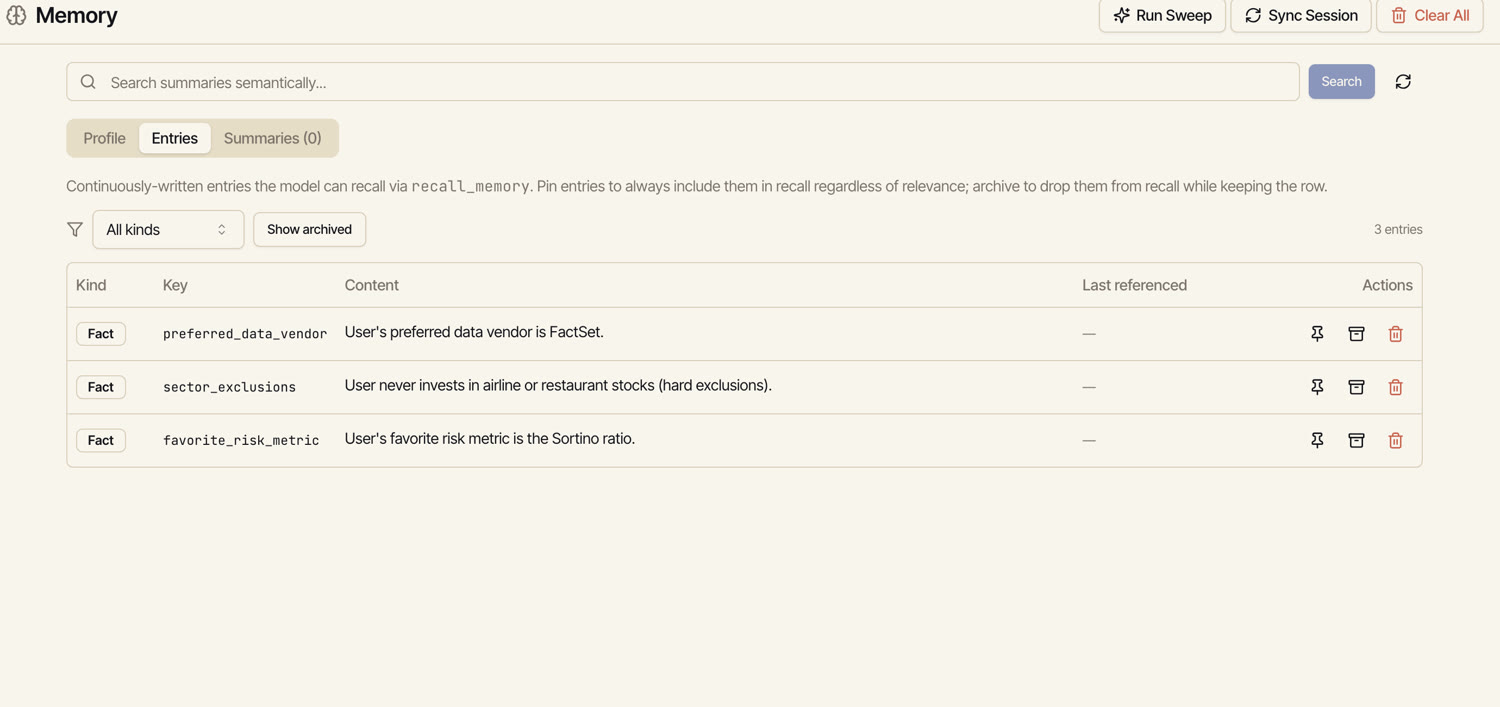
A profile plus facts the model jots down as you go. It pulls the relevant ones back automatically — by meaning, not keywords. Pin what matters, archive what doesn't.
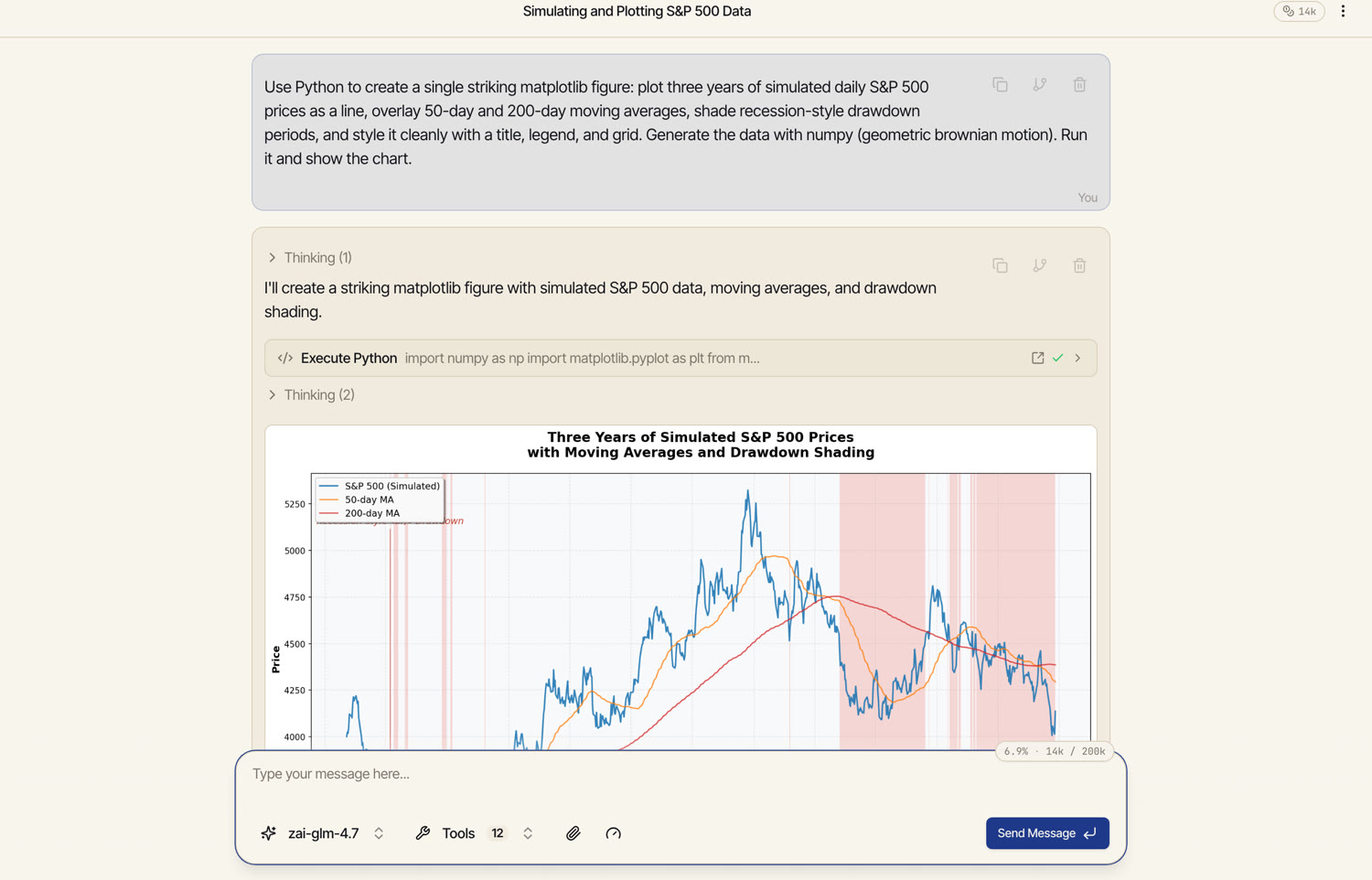
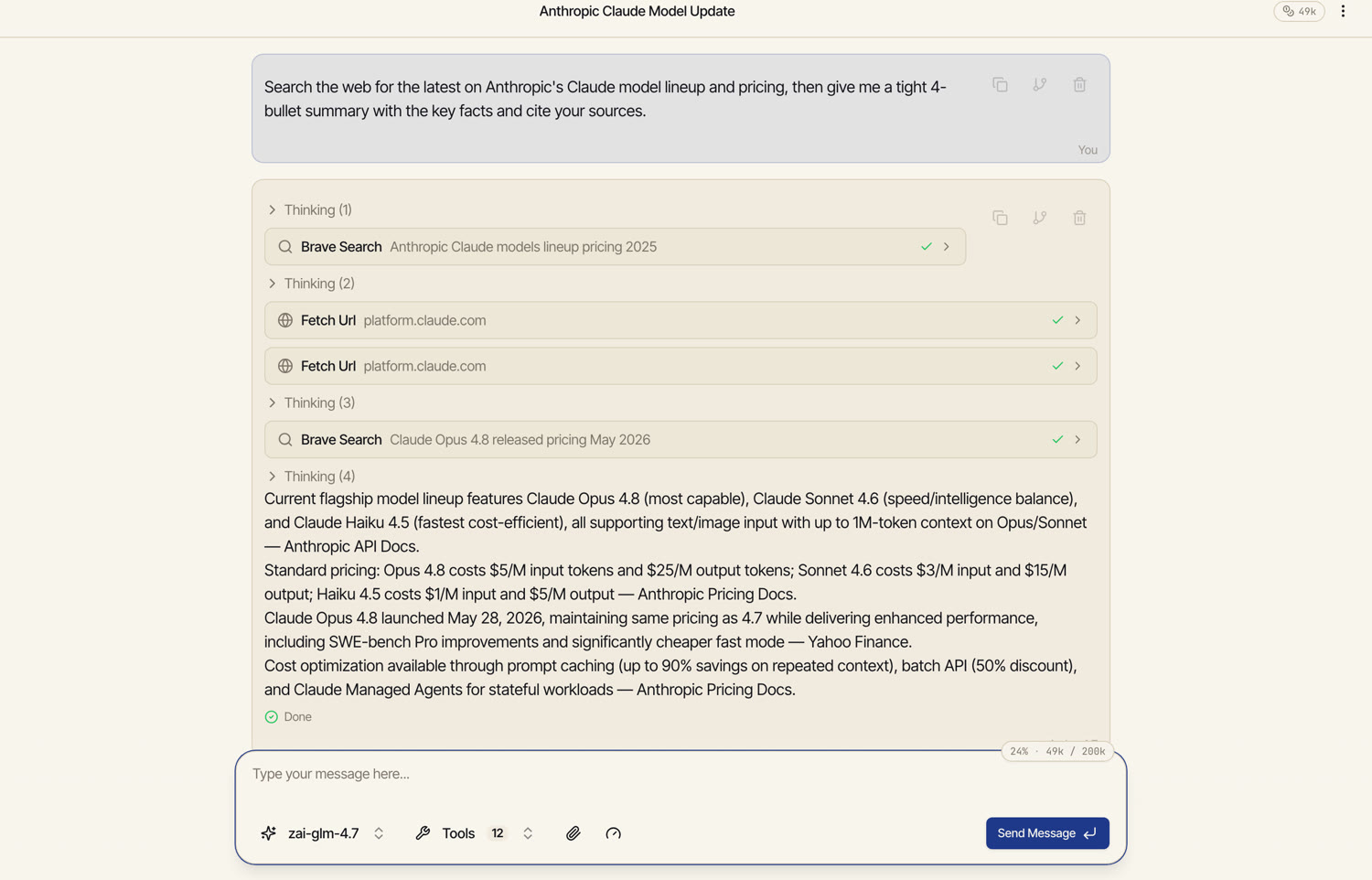
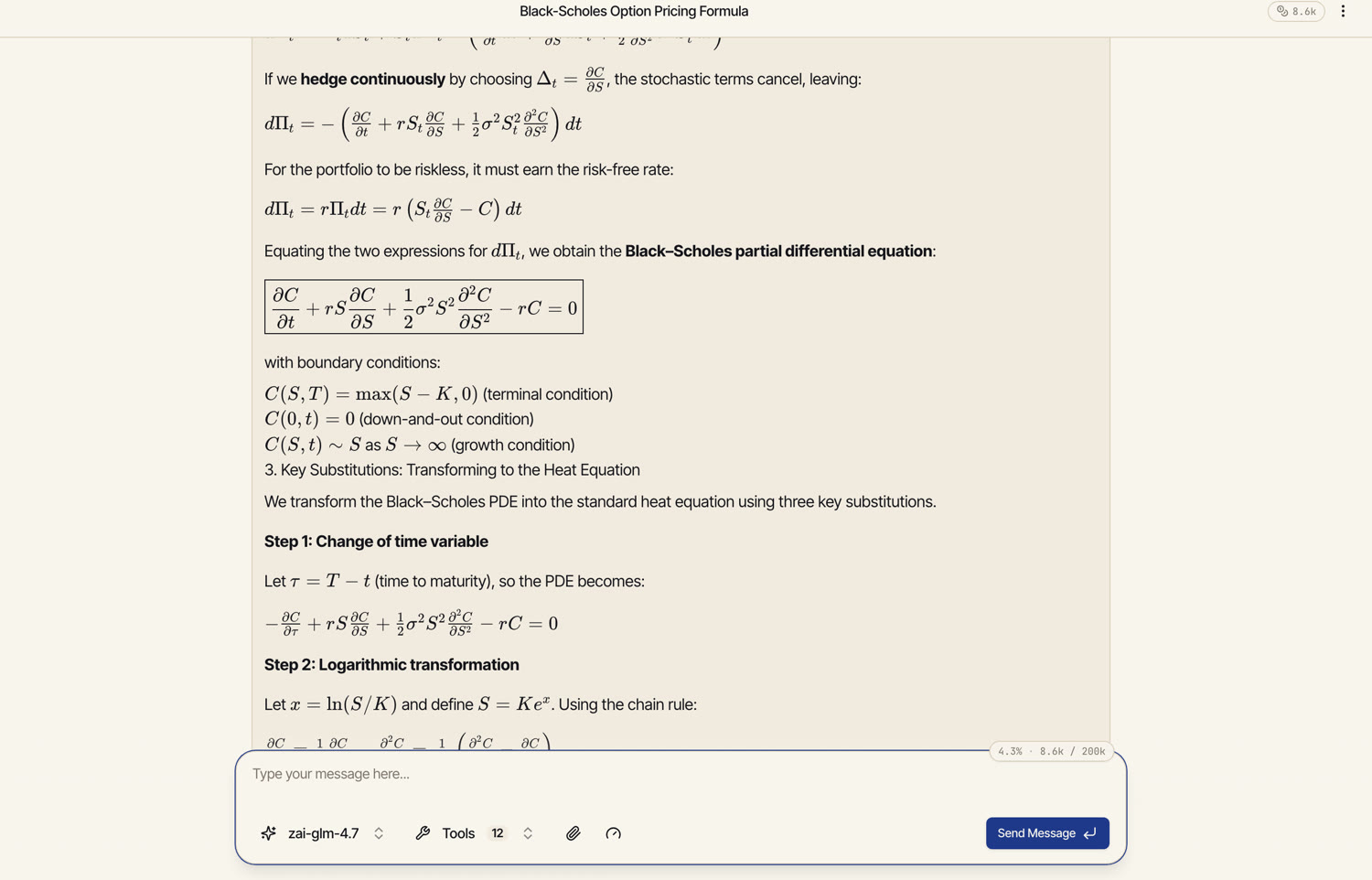
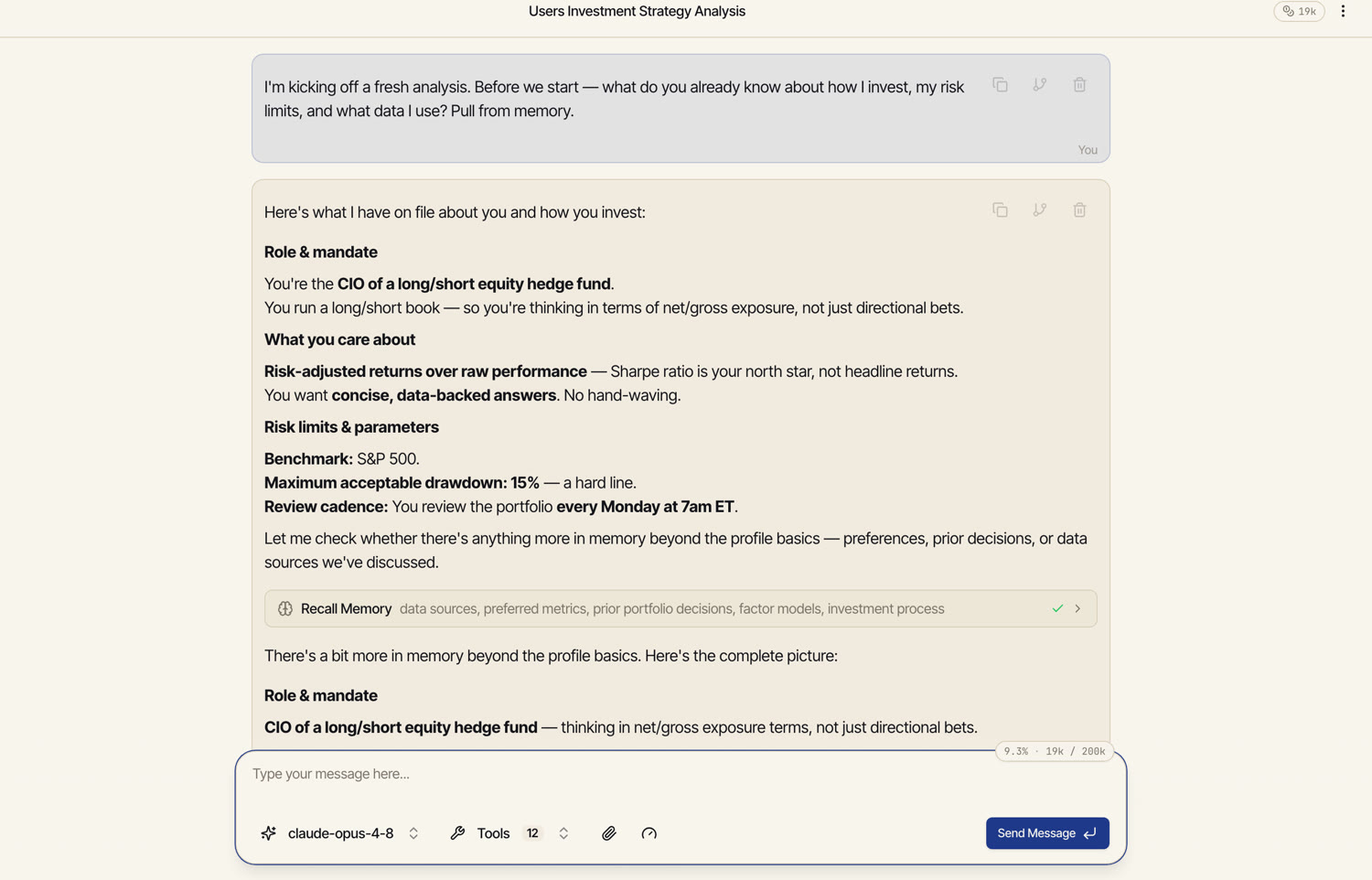
Every frame below is a real capture from Catalyst — one prompt, the model reaching for the right tool, and the result rendered inline. No edits, no staging.
It writes the code, builds the real B‑form geometry with proper major and minor grooves, renders dozens of frames of rotation, and hands back the finished animation — in well under a minute.
It writes the code, runs it in a sandbox, and drops the finished chart straight into the conversation — saved automatically, no download‑and‑reupload.
Search the web, fetch the page, then answer from what it actually found. Each step shows its query and result inline, with a green check when it lands.
Display equations, boxed results, boundary conditions — fully typeset as the answer streams in. Same for diagrams and code.
Tell it once — your mandate, risk limits, preferences. In the next session it pulls them back automatically — searched by meaning and ranked by relevance — and answers grounded in who you are. No re‑briefing.
Memory isn't a black box. Every entry is listed and editable — pin the ones that always matter, archive the rest. It lives in your own space, not in someone else's training data.
When a model shows its reasoning as it works, the chat displays it in an inline pane you can watch live. Collapse it, skip it, or read it for the insight you don't get from the final answer alone.
The dip is the promo, not a problem. April 17 was the day the spring sale ended; the pre‑promo rate is the baseline, not the post‑promo dip.
Sign in once, bring your own keys (or use the built‑in catalog), and start a chat that can switch models, call tools, render code, and remember you.